Yearly Archives: 2010

Rythmbox Sync to USB Device

I have a sizable collection of music, so sizable in fact that I can’t store the full collection on any portal media.  Since I only use Windows to play video games, I use Rhythmbox to manage my music and found myself in need of a way to sync to a USB thumbdrive.  Now, the issue with this is that, by default, Rhythmbox doesn’t treat just any USB mass-storage device as an audio player, so I stumbled upon a post titled “Rhythmbox and USB mass storage sync” dealing with a similar problem.

All you need to do is create a file called “.is_audio_player” and add some content to it that’s something like this:

audio_folders=music/
folder_depth=1

…and then scan removable media.  (Should be in the file menu)  One caveat you should be aware of is that I’m not sure if Rhythmbox will do any audio file conversion for you during the sync to your device.  But for moving a play list from one computer to another, this is plenty fine for me.

Bad sectors on your hard drive? Don’t throw it out yet.

This week I was working on a computer that was having problems with it’s hard drive.  I could get it to start once, and then it would fail to start up again.  As you can imagine, the drive had some bad sectors, but the people I was fixing this for could not afford another $60 expense to replace the drive.  So I had to try to find a way to fix the computer without replacing the drive.

And that’s when I learned this: Before you throw out a drive with bad sectors, try to run the manufacturers test and repair utilities on the hard drive.  Western Digital has its Digital Lifeguard software and I’m sure Seagate has a similar tool.  If you can attempt a repair with it, try the repair option.  If the repair fails, then you will likely need to get a new hard drive unfortunately.  Hopefully this will help you wring another couple of months out of your drive.  (Who knows, it may work for years after you do so.)

Greasemonkey vs. Website

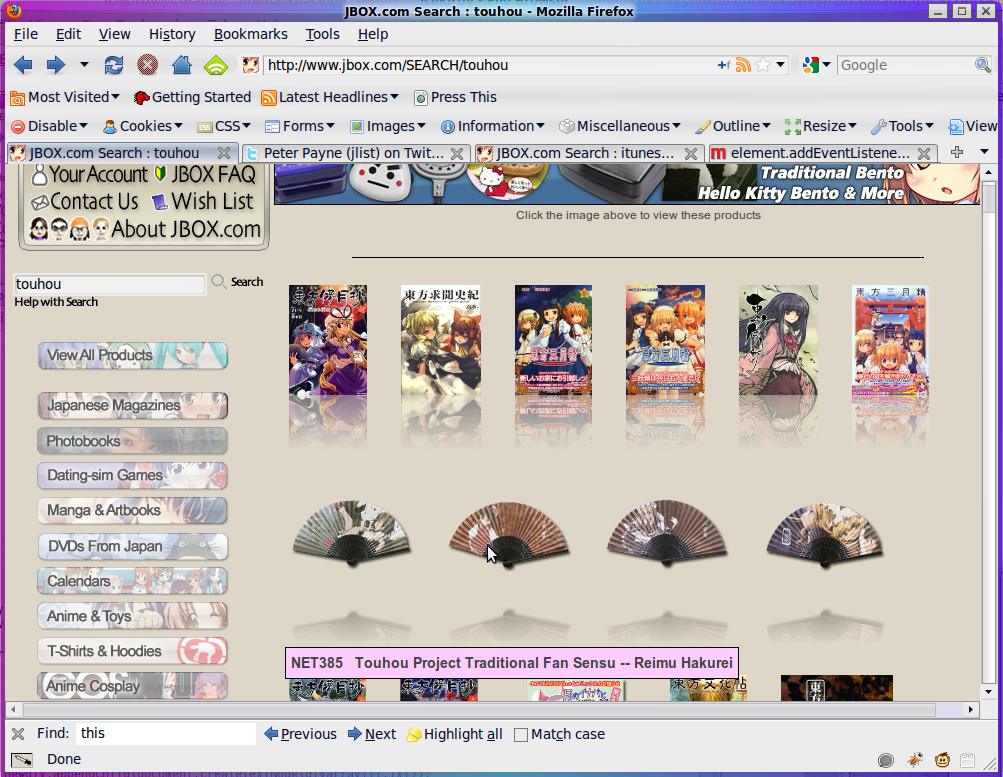
I made a pretty normal trip to jlist (an online shop selling all manner of things Japanese) and for some reason thought: I bet I could change this store layout with Greasemonkey!  With a couple of hours of fiddling, I had managed to create a script that took their HTML and mangled it to my bidding.  That makes me sound kinda evil doesn’t it? At any rate, you can do some pretty impressive stuff to a page with just JavaScript.  So you can poke it and whatnot fairly easily, I’m providing both in this zip file: jlist condensing greasemonkey scripts

By default, when browsing by category, everything in is shown vertically with text and pictures.  I wanted to browse without scrolling so much, so at first I made this a greasemonkey userscript called “jlist-condense.user.js” and here’s the result with that one:

JList with the first condensing script

So, I decided to continue playing around with the script and then made a “super-condensed” version that uses even less space.  It would break on things that don’t have pictures at the moment btw, but most everything on jlist does have a picture. Further, I was just me messing around with Greasemonkey script shenanigans.  All it is is product image with a reflection (because I can) that you can mouse over for the title and click to view the full product descriptions.

Super-Condensed jlist greasemonkey script

SVG to online coloring-sheet SWF

You can do quite a bit of unorthodox stuff with PHP.  If you head over to epbsoft.com, you’ll find several flash coloring sheets I made with PHP, not Flash.  (Sort of anyway.)  I make them by first creating specially formatted SVG (Scalable Vector Graphics) files and feeding them to a PHP script that writes ActionScript files that are then compiled by MotionTwin ActionScript compiler.  As far as capabilities, it’s not all that capable.  I have to jump through a couple of hoops to make an SVG that my ActionScript generator can actually parse properly, but when it works, I like the results.

svg-to-coloring.php.zip <– The source code is available if you want to take a look at how it works.

MongoDB looks Interesting

I might take a look at installing MongoDB on my server.  I like the idea of a document-driven, NoSQL database, especially after working with relational SQL databases for years, and MongoDB looks interesting.  You can read more about it in Developing scalable PHP Applications using Mongo DB. What caught my interest is how flexible using it appears to be from the linked article.  Plus, using something other than a SQL database could be a nice change of pace.  I HATE adding fields to a SQL database table, and it looks nearly painless in these examples.

Another thing that seemed as though it were worth looking into is it’s apparently designed with storing whole files in mind.  I’ve stored files in MySQL databases before, but MySQL really isn’t designed with that in mind, but at the same time, if I’m going to be making a lot of small binary files, I don’t like them cluttering up my directories.